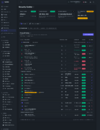
TallPBX

Looks like this was vibe-coded with AI about a week ago. So how much actual coding experience do you have yourself, and how much VoIP knowledge?
 
Just because it was recently committed to Git doesn't mean they haven't been working on it for a while.

Welcome, tallpbx and @smn. This forum is the right place to talk about multiple PBXs.
It's likely we will see more PBX's on this forum in the future.

You should ask for your own spot on the forum like DjangoPBX and others.
 
It's actually very important for some people to know the developer's skill set. The stack that TallPBX was built on is very similar to FS PBX. I might consider hiring him.
Unfortunately, with AI, we have a lot of rookie developers, and proper vetting is required. AI can write code. Everyone knows that. However, producing well-written AI code still needs supervision from a developer with the skill and system knowledge.
 
Looks like this was vibe-coded with AI about a week ago. So how much actual coding experience do you have yourself, and how much VoIP knowledge?
About 20 years VoIP & 15 years coding. Development was started on a private repo long before I did the initial commit released to a public repo, so that is not the entire commit history.

Honestly, I rarely need to look at the code anymore. Forcing AI to do test driven development helps catch lots of things. TallPBX currently has around 2000 Pest tests. All run before almost every major commit. I don't think there are any other open source PBX projects out there that have as many tests as TallPBX.

Code:
# Smoke — critical-path verification (~20s)
php artisan app:test --smoke

# Default — all feature tests, parallel by default (~65s)
php artisan app:test

# Full — features + Dusk browser tests (~150s, requires Chromium; do not use the
# web panel in another tab while they run — see INSTALL.md, "Browser Testing (Dusk)")
php artisan app:test --full

# Filter a specific test file
php artisan test --filter=AdminAuthTest

# Sequential debugging (no --parallel)
php artisan app:test --sequential

# Optional: clear Laravel caches before testing
php artisan app:test --smoke --clear-cache

I also had AI do a lot of performance/stress testing, cache optimization, and VoIP validation.


It's preloaded with AI agent instructions and skills and uses the Apache 2.0 license, so people are free to clone it and have AI customize it for their own use if they want.
 
Last edited:
It's actually very important for some people to know the developer's skill set. The stack that TallPBX was built on is very similar to FS PBX. I might consider hiring him.
Unfortunately, with AI, we have a lot of rookie developers, and proper vetting is required. AI can write code. Everyone knows that. However, producing well-written AI code still needs supervision from a developer with the skill and system knowledge.
I've never heard of FSPBX until I came to this forum to make this post.

Looks like it uses a Vue front end. I am using a TALL stack, which is completely different.

Although it appears to use Laravel on the backend, I am guessing that is considerably different as well. I am using a modular design that uses Composer. That helps enforce separation of concerns and makes it easy to add/remove unnecessary features. It also makes it easy for people to create their own custom modules in their own repos and easily add them using Composer.

Creating a New Module​

Scaffold a new module with the make:module command:
Code:
php artisan make:module call-forwarding \
    --display-name="Call Forwarding" \
    --description="Forward calls to external numbers" \
    --category="PBX Features"
This creates the full directory structure:
Code:
app-modules/call-forwarding/
├── composer.json          # PSR-4 autoloading + Composer discovery
├── module.json            # Module manifest (version, namespace, requirements)
├── config/                # Module-specific config files
├── database/migrations/   # Database migrations
├── lang/en/               # English translations
├── resources/views/       # Blade views (namespace: call-forwarding::)
└── src/
    ├── Livewire/          # Livewire components
    └── Providers/         # ModuleServiceProvider

Module Commands​

TallPBX provides first-party Artisan commands for module discovery and registry maintenance:
Code:
# Sync module.json manifests into the database module registry
php artisan module:sync

# Sync only first-party modules under app-modules/
php artisan module:sync --only-local

# Build the TallPBX module manifest cache
php artisan module:cache

# Clear generated module manifest caches
php artisan module:clear

# List modules known to the registry
php artisan module:list
 
Last edited:
I've never heard of FSPBX until I came to this forum to make this post. Looks like it uses a Vue front end. I am using the TALL stack, which is completely different. Although it also appears to use Laravel, I am guessing the backend is considerably different as well. I am using a modular design that runs on composer. That makes it easy for people to create their own custom modules in their own repos and add them using composer.
It's quite similar. I use Vue.js, while you use Alpine.js. I moved away from Livewire because it was too slow. I then switched to Inertia, which was faster but still not as fast as I desired. Now, my setup is entirely API-driven and lightning fast. Laravel is modular by design, so we have that in common as well.

Likewise, I've never heard of TallPBX.
 
It's quite similar. I use Vue.js, while you use Alpine.js. I moved away from Livewire because it was too slow. I then switched to Inertia, which was faster but still not as fast as I desired. Now, my setup is entirely API-driven and lightning fast. Laravel is modular by design, so we have that in common as well.

Likewise, I've never heard of TallPBX.
API driven, such as when designing single page applications (SPAs) using a Vue front end, is a completely different design choice. TallPBX doesn't even have an API. At least not yet. I thought about going with an SPA front end at first but decided to go with the TALL stack instead. Not saying it's better, just a different design choice.

Alpine.js is a minimalist library for UI presentation. Vue.js is a full framework, so about the only thing they have in common is that they both use JavaScript.
 
Last edited: