autoprovision yealink t58v

yaboc

Member
Nov 23, 2017
48
3
8
35
i set up mac entry in devices

put
https://pbx.domain.com/app/provision/ yealink auto provision setting with user/pass, which were enabled entered prior in Default Settings on fspbx

Code:
Stack trace:

#0 /var/www/fspbx/public/app/provision/index.php(530): require_once()

#1 {main}

  thrown in /var/www/fspbx/public/app/device_logs/resources/device_logs.php on line 55" while reading upstream, client: 10.18.70.100, server: *.us.domain.com (<-I'm not sure what this is here) , request: "GET /app/provision/y000000000058.cfg HTTP/1.1", upstream: "fastcgi://unix:/var/run/php/php8.4-fpm.sock:", host: "pbx.mydomain.com", referrer: "https://pbx.mydomain.com/app/provision/y000000000058.cfg"

2026/04/15 22:46:25 [error] 165#165: *1051 FastCGI sent in stderr: "PHP message: PHP Fatal error:  Uncaught Error: Call to undefined method permissions::new() in /var/www/fspbx/public/app/device_logs/resources/device_logs.php:55

Stack trace:

#0 /var/www/fspbx/public/app/provision/index.php(530): require_once()

#1 {main}

  thrown in /var/www/fspbx/public/app/device_logs/resources/device_logs.php on line 55" while reading upstream, client: 10.18.70.100, server: *.us.domain.com, request: "GET /app/provision/001565f75e9a.cfg HTTP/1.1", upstream: "fastcgi://unix:/var/run/php/php8.4-fpm.sock:", host: "pbx.mydomain.com", referrer: "https://pbx.mydomain.com/app/provision/001565f75e9a.cfg"

going to https://pbx.mydomain.com/app/provision/y000000000058.cfg i'm getting prompted for user/pass but it goes to 404

my pbx ui is behing proxy which is set up correctly. i can access my fspbx ui just fine.
any pointers?
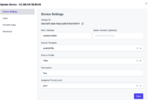
 
Can you send a screenshot of which exact template you used?

P.s. that domain you are not sure about needs to be changed to yours. Or whatever works with your proxy. But this doesn’t affect you right now. The issue is somewhere else.
 
@pbxgeek , the phone was discontinued a while ago, but i updated it to the latest firmware dated eoy 2025
1776309596676.png
im not sure where that *.us.domain.com setting is but yeah right now it seems file cannot be pulled
 
Last edited:
T58v. I see. You wrote t85v in the subject. I’ll check on my test server and let you know.
To be honest you can probably use any Yealink template. They are very much similar.
For example try t44+. That one works very well.
 
  • Like
Reactions: yaboc
sorry i fixed the title to reflect the correct model. i tried t44w+and it's still throwing the same error

1776310827572.png
im also getting 404 when i try to go to
and authenticate

https://pbx.mydomain.com/app/provision/index.php?mac=ccb8a81b8090 and auth loads the cfg file in the browser
same for https://pbx.mydomain.com/app/provision/ccb8a81b8090

where are the mac.cfg files located so i can check it exists? ANSWER: apparently they're are created from db


domain_filter is set to false by default

also Only Accept Trusted Certificates is set to off by default on this particular phone with the latest firmware
 
Last edited:
Try to switch to T44U (v1.0.x). When you have a version at the end these are new FS PBX templates.

The provisioning URL will be different when you use the new templates.


once you switch to this template try to open that URL in the browser.
so it looks like the phone is trying to pull from prov/ but it cant find .boot file etc which are not in the prov?

Code:
[DCMN]ssl cipher:AES:!ADH:!LOW:!EXPORT:!NULL
Apr 16 12:22:05 ATP [760.789]: DURL<6+info  > [DCMN]I will write to file: /tmp/xxx.cfg
Apr 16 12:22:05 ATP [760.789]: DURL<6+info  > [DCMN]Request header
Apr 16 12:22:05 ATP [760.789]: DURL<6+info  > [DCMN]GET /prov/001565f75e9a.boot HTTP/1.1
Apr 16 12:22:05 ATP [760.789]: DURL<6+info  > [DCMN]Host: pbx.mydomain.com
Apr 16 12:22:05 ATP [760.789]: DURL<6+info  > [DCMN]...
Apr 16 12:22:05 ATP [760.789]: DURL<6+info  > [DCMN]Response header
Apr 16 12:22:05 ATP [760.789]: DURL<6+info  > [DCMN]HTTP/1.1 404 Not Found
Apr 16 12:22:05 ATP [760.789]: DURL<6+info  > [DCMN]Date: Thu, 16 Apr 2026 04:22:06 GMT
Apr 16 12:22:05 ATP [760.789]: DURL<3+error > [DCMN]Recode is 404, Request err.
Apr 16 12:22:05 ATP [760.789]: DURL<6+info  > [DCMN]Connect is short Cleanup curl.
Apr 16 12:22:05 ATP [760.789]: DURL<3+error > [DCMN]download common error, errcode:404, no out.
Apr 16 12:22:05 ATP [760.789]: DURL<6+info  > [DCMN]download common error, remove file.
Apr 16 12:22:05 ATP [760.789]: ATP <3+error > https to file failed, code = 404, msg = , retry = 1
Apr 16 12:22:05 ATP [760.789]: ATP <4+warnin> Download mac.boot fail
Apr 16 12:22:05 ATP [760.789]: ATP <6+info  > Upgrade from default.boot
Apr 16 12:22:05 ATP [760.789]: DURL<6+info  > [DCMN]download to file...
Apr 16 12:22:05 ATP [760.789]: DURL<6+info  > [DCMN]Use new short connect.
Apr 16 12:22:05 ATP [760.789]: DURL<6+info  > [DCMN]HTTP request use auth = 0.
Apr 16 12:22:05 GUI [765:838]: ANDR<4+warnin> 1290  1317 W APP     : [AUTOP==>LogicThread] message[ATP_SRV_MSG_NOTIFY_UPDATE][30002] w[11] l[19]
Apr 16 12:22:05 GUI [765:838]: ANDR<6+info  > 1290  1317 I ZERO    : atp notify update 19
Apr 16 12:22:05 GUI [765:838]: ANDR<4+warnin> 1290  1317 W APP     : message[30002] end
Apr 16 12:22:05 ATP [760.789]: DURL<6+info  > [DCMN]do not check the server cert.
Apr 16 12:22:05 ATP [760.789]: DURL<6+info  > [DCMN]ssl cipher:AES:!ADH:!LOW:!EXPORT:!NULL
Apr 16 12:22:05 ATP [760.789]: DURL<6+info  > [DCMN]I will write to file: /tmp/xxx.cfg
Apr 16 12:22:05 ATP [760.789]: DURL<6+info  > [DCMN]Request header
Apr 16 12:22:05 ATP [760.789]: DURL<6+info  > [DCMN]GET /prov/y000000000000.boot HTTP/1.1
Apr 16 12:22:05 ATP [760.789]: DURL<6+info  > [DCMN]Host: pbx.mydomain.com
Apr 16 12:22:05 ATP [760.789]: DURL<6+info  > [DCMN]...
Apr 16 12:22:05 ATP [760.789]: DURL<6+info  > [DCMN]Response header
Apr 16 12:22:05 ATP [760.789]: DURL<6+info  > [DCMN]HTTP/1.1 404 Not Found
Apr 16 12:22:05 ATP [760.789]: DURL<6+info  > [DCMN]Date: Thu, 16 Apr 2026 04:22:06 GMT
Apr 16 12:22:05 ATP [760.789]: DURL<3+error > [DCMN]Recode is 404, Request err.
Apr 16 12:22:05 ATP [760.789]: DURL<6+info  > [DCMN]Connect is short Cleanup curl.
Apr 16 12:22:05 ATP [760.789]: DURL<3+error > [DCMN]download common error, errcode:404, no out.
Apr 16 12:22:05 ATP [760.789]: DURL<6+info  > [DCMN]download common error, remove file.
Apr 16 12:22:05 ATP [760.789]: ATP <3+error > https to file failed, code = 404, msg = , retry = 1
Apr 16 12:22:05 ATP [760.789]: ATP <4+warnin> Download default.boot fail

at least the phone is connecting and not throwing any errors on the fspbx log

View attachment 4910
 
Last edited:
You don't need all the files to provision the phone. mac.cfg is enough. It fails to download the other files, and it's ok. It's true for all phones. They always look for a bunch of files and only download what's available and needed.