

Changing Internal SIP Port (FusionPBX)

AhmedYassine

New Member
Sep 29, 2025
21
1
3
44
Hi,
Is it possible to change the default internal SIP port (5060) to another port?
If yes, could you please advise how to configure the softphones to connect to FusionPBX using the new port?
The objective is to free up port 5060 for use with the external profile.

Thank you.
 
A few points to note: Many users are often confused because they believe they cannot set their gateway providers to send inbound traffic to port 5080, but this is very rare—the provider almost always allows it.
If you are fortunate enough to have a provider that refuses, then yes you can simply change your internal profile port to any value you prefer in the Sip Profile settings. To connect your softphones to a new port, just specify the port number in your softphone's connection settings. Most softphones support this customization.
 
Hi,
Thank you for your feedback.
I have changed the internal SIP port to 5070, and the softphones are now successfully registered after updating their configuration. However, I am still facing some confusion regarding the SIP trunk setup with my gateway provider.
Specifically, I have not found a clear configuration example for this setup (my provider is VMSC telephony operator). I attempted to use different ports for the trunk configuration, but the connection was not successful.
Could you please advise on the correct configuration or share a working example for this scenario?
Thank you.
 
How do you know it's not working? Is it IP-based authentication or registration trunk? I suggest you share what you did so far and maybe we can help
 
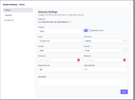
This is an example of Telnyx IP authentication type or gateway. The screenshot is from FS PBX but the same settings will work in FusionPBX

1777571714458.png
 
It is a strange behavior. I configured the same setup without registration, but the SIP trunk still does not come up.
Based on your screenshot, the only difference I noticed is that in my case I am using an IP address instead of a hostname (machine name).
Could this be the cause of the issue, or is there any specific requirement regarding the use of FQDN versus IP address?
Thank you.
 
You still didn't explain why you think it's not working? Have you started it? It should show on your SIP Status page if it's running.