FS PBX Version: 2.0.1
FreeSWITCH Version: 1.11.3
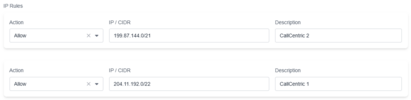
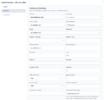
Trying to add CallCentric.
Both FS PBX and CallCentric show they are connected.
But when a test call is made in, FS PBX responds with:
WARNING [inbound routes] 404 not found
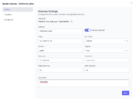
Both the destination_number and sip_to_user have entries in Inbound Routes set to what fs_cli is showing when I try to call in.
Has anyone tried connecting CallCentric to FS PBX or FreeSWITCH?
I found:
Yes, I have. That's actually how that entry ended up in the dial plan. The only two expressions...
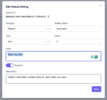
And tried to set the DID like they mentioned worked for them, but FS PBX just makes it 10 digits again.
FreeSWITCH Version: 1.11.3
Trying to add CallCentric.
Both FS PBX and CallCentric show they are connected.
But when a test call is made in, FS PBX responds with:
WARNING [inbound routes] 404 not found
Both the destination_number and sip_to_user have entries in Inbound Routes set to what fs_cli is showing when I try to call in.
Has anyone tried connecting CallCentric to FS PBX or FreeSWITCH?
I found:
Did you set up the inbound destination number under the Dialplan > Phone numbers? It looks like you tried to create a manual inbound route. In FreePBX, you'd set it under inbound routes. On FS PBX, you have to set up using Dialplan > Phone Numbers and then, on that screen, route that number to whatever destination you choose.
Do not try to manually set the number in the Dialplan > Inbound routes. When you set the number in Phone Numbers, it creates correctly the inbound route.
Yes, I have. That's actually how that entry ended up in the dial plan. The only two expressions...
And tried to set the DID like they mentioned worked for them, but FS PBX just makes it 10 digits again.
Last edited: