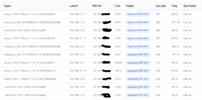
LAN/Local IP Address in Status > Registration <SOLVED>

It is NOT the same as FusionPBX and I'm not sure why you thought it would be.
Well, I'm not deep into the code and have no reference for what is FreeSWITCH and what is still FusionPBX and what is purely FS PBX. I know Dereck is working very hard to evolve the product away from all things FusionPBX. My only concern is that the report should work correctly if it is going to be there and I'm not throwing shade at anybody over a very small issue.
 
Well, I'm not deep into the code and have no reference for what is FreeSWITCH and what is still FusionPBX and what is purely FS PBX. I know Dereck is working very hard to evolve the product away from all things FusionPBX. My only concern is that the report should work correctly if it is going to be there and I'm not throwing shade at anybody over a very small issue.

I understand, as I mentioned, this is not something anywhere in the sip protocol, Mark just discovered it. I personally think it is a bad thing in principle. If you are trying to conceal your LAN infrastructure an IP phone should not be revealing it by putting it in the call-id. I know it is very useful but its definitely not a field freeswitch uses, nor is it needed for functionality, its just a field we all like.
 
  • Like
Reactions: kenn10
I'm looking at registrations of several different phones and only a few include the local LAN IP in the call-id string. Some include some hex hashed string that I have no idea how to decode. Most don't include anything that would indicate local LAN IP.

Like you said, its is something we all like but I don't think its functionally practical since different phones register with different registration strings. My Grandstream GRP2612 phones send the IP. My ancient Aastra 9143i phones send the IP. My Fanvil X series send the IP. My Avaya j139 3PCC phones send a hashed code which reveals nothing about the content.

Since there is no registration standard covering local LAN IP, I'm sure each manufacture is using different registration.
 
The FS PBX registration script was revised some time ago to include various methods for detecting the local and WAN IPs. As you've observed, each phone behaves differently, and firmware variations can also affect performance. SIP ALG (if enabled) might interfere with this process. While the script isn't perfect and could use further refinement, sometimes only the WAN IP is available.

Please DM me and attempt to register your phone with my FS PBX instance. If it passes the info correctly, that indicates the network topology between your phones and your server may be the factor. If not, I'll try to identify the local and WAN IP and enhance the script. That is, if your phones' registration packets initially leave your network with both IPs. Obviously, cases where they are encrypted will never work.
 
SIP ALG (if enabled) might interfere with this process.
That was exactly it. My router had that turned on so that Smartphone wifi calling could work. I have since had a router firmware upgrade. I just turned off the SIP ALG and now I see the local IP addresses and Smartphone wifi calling works now. I still wonder why it worked on FusionPBX but not on FS PBX. In any case, it looks like this issue is solved.

1787173431954.png
 
I am not sure why in this particular instance it would be different with Fusion vs FSPBX, but certainly on our instances of Fusion we see all kinds of variations of this. SIP ALG definitely messes with this kind of thing and we tell all customers to disable that but depending on the firewall/router/phone combination it just shows up differently with some showing private IPs, some only for some phones, others not at all, etc.

What I HAVE noticed though is a difference in source port. On our fusion PBXs we have NDLB-received-in-NAT-reg enabled on the internal profile. When we switch over a customer to FSPBX where we do not have this enabled, depending on the router/firewall of the customer all of a sudden the source port is 5060 for all their phones. In a handful of installations this has given issues where the invite goes to port 5060 on the client side and their router/firewall messes it up and sends it to the wrong device. This is a function of the customer's equipment no doubt and the problem lies there. The choice is then to either enable this NDLB setting on the internal profile on FSPBX as well but the advice I am finding is to rather not do this but set the rewrite contact and ip on an individual basis. Has anyone here had to change any of the default NAT settings on FSPBX and add things like aggressive NAT detection and the so beautifully named "connectile dysfunction"?

I was in 2 minds on posting this here for fear of hi-jacking a thread, but I think it fits in so decided to not start a new thread on it.
 
I don't believe its the nat detection, if the sip registration doesn't send it then its just not there, as mentioned above maybe pbxgeek can confirm, a quick scan of the current code showed that the call-id header wasn't being checked for local ips which in some configurations/algs means the local ip will not be anywhere else.
 
Its a mystery to me but in my case, I'm sure SIP ALG was deliberately making sure the external IP was being sent. Now with latest router firmware on my TP-Link M707v2 router, and SIP ALG turned off, the local IP's are definitely being sent in the registration header contact. Every single device I use is now showing the local IP. Perhaps, uniquely with the Fanvil X4, it sent the local IP somewhere in the registration request that FusionPBX was able to catch.