


Hi All,
Is there a step by step tutorial to setup mailgun account and connect mailgun with FSPBX
Everytime I try to setup route in mailgun account I get below error

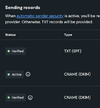
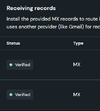
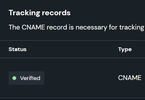
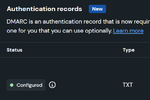
I have domain verified
in the route part of mailgun account I am using
match_recipient(".*@fax.mydomain.com.au")
and in the forward section of the add route I am typing as below
when I browse the above URL directly in browser I get the following
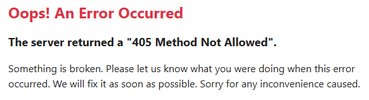
Any insight will be appriciated. It is probably just a simple solution but I am new to FSPBX
Testing
Thanks
ATT: @pbxgeek
Documentation is not clear about error

 www.fspbx.com
Is there a step by step tutorial to setup mailgun account and connect mailgun with FSPBX
Everytime I try to setup route in mailgun account I get below error
I have domain verified
in the route part of mailgun account I am using
match_recipient(".*@fax.mydomain.com.au")
and in the forward section of the add route I am typing as below
when I browse the above URL directly in browser I get the following
Any insight will be appriciated. It is probably just a simple solution but I am new to FSPBX
Testing
Thanks
ATT: @pbxgeek
Documentation is not clear about error
Mailgun: Email-to-Fax | FS PBX – Open Source PBX Dashboard for VoIP Providers
FS PBX offers a modern, resource-efficient Email-to-Fax solution by directly integrating with Mailgun inbound email webhooks. This method eliminates IMAP polling and ensures faxes are processed instantly.
www.fspbx.com