On-call schedule handling

RCCradio

Member
Nov 12, 2025
37
2
8
56
So was asked about setting up an on-call schedule for a number, to there on certain days 1 person receives the transcription as sms and on others days another person get the text message.

I have the voicemail transcription part working, just wondering the best route to go with the scheduling. I was thinking of creating a business hours plan and using that to route to an extension, so on business days (On-call), it would go to 1 extension, and non-business days (Not On-call) it would go to another extension.I would just have to keep the business days/holidays updated.

Is this the best way to do it, or is there something built-in I'm missing. I don't know the on-call schedule yet, but whose notified won't change, the on-call person is always going to be that on-call person, and the non on-call will always be the same as well.
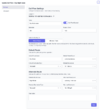
 
So was just searching Bing for this, and it created this lua script, do you think if I modify it for FSPBX, in stead of FusionPBX, it work.
Code:
--[[
    FusionPBX / FreeSWITCH Lua Script
    Purpose: Change Call Flow status based on a daily schedule in a text file.
    Author: Senior Dev
    Requirements:
      - Place this script in FusionPBX's scripts directory (e.g., /usr/share/freeswitch/scripts/)
      - Schedule it via cron or FusionPBX's event scheduler
      - Ensure the FusionPBX database credentials are correct
      - Schedule file format: YYYY-MM-DD,ON or YYYY-MM-DD,OFF
        Example:
            2026-06-17,ON
            2026-06-18,OFF
--]]

-- CONFIGURATION
local schedule_file = "/etc/fusionpbx/call_flow_schedule.txt" -- Path to your schedule file
local call_flow_uuid = "PUT-YOUR-CALL-FLOW-UUID-HERE"         -- UUID of the call flow to control
local db_dsn = "pgsql://hostaddr=127.0.0.1 dbname=fusionpbx user=fusionpbx password=YOURPASSWORD" -- Adjust for your DB

-- Load required modules
local Database = require "resources.functions.database"

-- Function to trim whitespace
local function trim(s)
    return (s:gsub("^%s*(.-)%s*$", "%1"))
end

-- Get today's date in YYYY-MM-DD
local today = os.date("%Y-%m-%d")

-- Read schedule file
local status_today = nil
local file = io.open(schedule_file, "r")
if not file then
    freeswitch.consoleLog("ERR", "[CallFlowSchedule] Cannot open schedule file: " .. schedule_file .. "\n")
    return
end

for line in file:lines() do
    local date, status = line:match("^(%d%d%d%d%-%d%d%-%d%d)%s*,%s*(%a+)")
    if date and status and trim(date) == today then
        status_today = trim(status):upper()
        break
    end
end
file:close()

if not status_today then
    freeswitch.consoleLog("INFO", "[CallFlowSchedule] No schedule entry for today (" .. today .. "). No change.\n")
    return
end

-- Map ON/OFF to call flow status
local new_status = (status_today == "ON") and "true" or "false"

-- Connect to DB
local dbh = Database.new(db_dsn)
if not dbh then
    freeswitch.consoleLog("ERR", "[CallFlowSchedule] Database connection failed.\n")
    return
end

-- Update call flow status
local sql = string.format(
    "UPDATE v_call_flows SET call_flow_status = '%s' WHERE call_flow_uuid = '%s'",
    new_status, call_flow_uuid
)
dbh:query(sql)
dbh:release()

freeswitch.consoleLog("INFO", string.format(
    "[CallFlowSchedule] Call Flow %s set to %s for %s\n",
    call_flow_uuid, new_status, today
))
 
@RCCradio We offer automated business hours that allow you to easily modify your schedule using a user-friendly interface that doesn't require any programming skills. This option is ideal if your schedule is relatively consistent. Additionally, we provide Call Flows, enabling you to switch the destination quickly by pressing a BLF button, dialing a star code, or toggling on the dashboard. This feature is particularly useful for schedules that are less consistent, as it allows for quick adjustments between destinations. You can also combine both features for a more advanced setup.
 
@RCCradio We offer automated business hours that allow you to easily modify your schedule using a user-friendly interface that doesn't require any programming skills. This option is ideal if your schedule is relatively consistent. Additionally, we provide Call Flows, enabling you to switch the destination quickly by pressing a BLF button, dialing a star code, or toggling on the dashboard. This feature is particularly useful for schedules that are less consistent, as it allows for quick adjustments between destinations. You can also combine both features for a more advanced setup.
Thanks for the update. I don't know how the schedule is going to be but it could be something like
Monday-Wednesday-Friday = On-call
Tuesday-Thrusday = Not On-call
Every other weekend On-call.

I was planning on using the automated business hours, and was thinking of setting up the Call Flow, but would need to allow it to be called from an outside number, which I know I can set-up with a dial plan.

I just didn't know if this was the best way to do it, or if having them send a plain text file, like monthly or quarterly, with the schedule would be better for me. The user just wants it to work, with as little effort from them as possible.
I've already advised them, unless it's an emergency would need a couple days notice of a schedule change, just to make sure I have the time in my schedule to update it.
 
If they can send you a schedule, the best way to do it is to update the business hours. Or you can eventually teach them how to update the business hours on their own. It will take time to prepare and send the schedule to you. They may eventually realize it's just as easy to modify the hours.
 
Thanks. Our system is only accessible from our network, so they wouldn't be able to remote in.
The reason I was hoping to use a text file, is I can build a spreadsheet with a select-able calendar, and have it export the txt file schedule. If I can get it to work, I'm going to try to setup a way for them to upload the schedule to a online folder, like google drive, and then have the FSPBX Computer sync it, but that will be down the road, once I get it working good.