

S3 Storage
- Thread starter ou812
- Start date
You are using an out of date browser. It may not display this or other websites correctly.
You should upgrade or use an alternative browser.
You should upgrade or use an alternative browser.
- Status
- Not open for further replies.
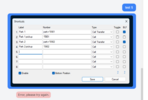
When you try to send mms, does it give you a blue outline around the picture? if you have it instead of an error complaining about missing s3 and the mms came to your cell, most likely it worked, and the PBX will create a folder structure in your S3 bucket that will look like this:
bucketname-->
Inside today's date folder, you should see your picture.
bucketname-->
Inside today's date folder, you should see your picture.
@ou812 do the following. Enable advanced messaging debug by adding this to your .env file
run this to apply
Then tail the log. This is a continuous command that you'll need to keep running while trying to send a message.
Send a test message and watch the log. It will spit out a very detailed debug. You will see where the message fails.
Code:
MESSAGING_WEBHOOK_DEBUG=truerun this to apply
Code:
php artisan config:cacheThen tail the log. This is a continuous command that you'll need to keep running while trying to send a message.
Code:
tail -f /var/lwww/fspbx/storage/logs/laravel.logSend a test message and watch the log. It will spit out a very detailed debug. You will see where the message fails.
Code:
[2026-03-28 01:20:59] production.DEBUG: CreateOutboundMessageService create() started {"domain_uuid":"f5ebca81-f82f-4691-8a3f-ec1535457550","extension_uuid":"f51b475b-bc00-4d17-bf52-8e12fb20a190","source":"+1905xxxxxxx","destination":"+1416xxxxxxx","origin":"portal","carrier":"voipms","media_count":0,"media_files_count":1,"media_remote_urls_count":0}
[2026-03-28 01:20:59] production.DEBUG: Processing outbound media file {"domain_uuid":"f5ebca81-f82f-4691-8a3f-ec1535457550","is_uploaded_file":true}
[2026-03-28 01:20:59] production.DEBUG: storeBinary started {"domain_uuid":"f5ebca81-f82f-4691-8a3f-ec1535457550","original_name":"Screenshot 2026-01-21 122125.png","provider":"portal","provided_mime_type":"image\/png","binary_size":58932}
[2026-03-28 01:20:59] production.DEBUG: Resolved S3 settings for domain {"domain_uuid":"f5ebca81-f82f-4691-8a3f-ec1535457550","settings_found":false,"bucket":null}
[2026-03-28 01:20:59] production.DEBUG: Error: No s3_storage settings found for domain f5ebca81-f82f-4691-8a3f-ec1535457550 at /var/www/fspbx/app/Services/MessageMediaObjectStorageService.php:33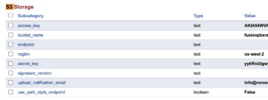
- Status
- Not open for further replies.