Hi,
SOLVED - Created custom template with the settings and it applied and provisioned phones! Function Keys override Key Templates but i'm unsure what Device Advanced Settings do. No mention of it in the docs or maybe i'm not looking in the right place.
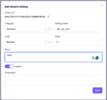
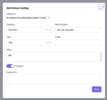
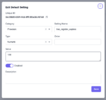
I'm on 2.0.1 and trying to provision yealink t87. since i have a custom port for TLS and maybe few other settings, where would i specify that ?
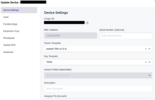
In Device's Advanced settings ? Since legacy provisioning templates are being depreciated.
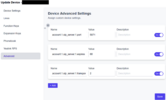
but when i access https://my.pbx.com/prov/devicemac.cfg and enter my provisioning user/pass i don't see those custom entries in the .cfg ?
Is there another way of creating custom entries for provisioning that will be available in 2 node setup?
I'm using T8W Device Template which should be accessed using the modern prov url ?
EDIT:
so according to this video
id have to make custom template based off of T8W and place those custom options there. What's the purpose of the Device Advanced Settings ?
Thanks
yaboc
SOLVED - Created custom template with the settings and it applied and provisioned phones! Function Keys override Key Templates but i'm unsure what Device Advanced Settings do. No mention of it in the docs or maybe i'm not looking in the right place.
I'm on 2.0.1 and trying to provision yealink t87. since i have a custom port for TLS and maybe few other settings, where would i specify that ?
In Device's Advanced settings ? Since legacy provisioning templates are being depreciated.
but when i access https://my.pbx.com/prov/devicemac.cfg and enter my provisioning user/pass i don't see those custom entries in the .cfg ?
Is there another way of creating custom entries for provisioning that will be available in 2 node setup?
I'm using T8W Device Template which should be accessed using the modern prov url ?
EDIT:
so according to this video
id have to make custom template based off of T8W and place those custom options there. What's the purpose of the Device Advanced Settings ?
Thanks
yaboc
Last edited: