FreeSWITCH 1.11.1 support + automatic Let's Encrypt TLS for SIP

pbxgeek

Well-Known Member
Jan 19, 2021
901
294
63
39
We've added support for the FreeSWITCH 1.11.1 release, and with it a feature a lot of you have asked for: free, automatically-renewing Let's Encrypt certificates for SIP-TLS and WSS — managed right from the FS PBX web interface.

Why the new FreeSWITCH version matters

1.11.1 introduces the reloadcert command, which lets FreeSWITCH pick up a new TLS certificate without a restart. That means certificate renewals no longer drop calls or registrations — the switch just starts using the new cert on the next TLS connection.

What you can do now

From Status → SIP Status, in the new FreeSWITCH TLS Certificate section, you can:
  • Issue a publicly-trusted Let's Encrypt certificate for one or more hostnames (with a staging/test mode first, so you don't burn rate limits while you get DNS and port 80 sorted).
  • Auto-renew it — FS PBX checks daily and renews when under 30 days remain, then hot-reloads it. You get an email on every renewal, success or failure.
  • Trust it on Polycom phones automatically — the issuing CA is pushed to the phone provisioning config, so phones trust the cert after a re-provision.
  • Replicate across multiple servers — in a failover/cluster setup, the active node renews and pushes the cert to the others, with no separate peer list to maintain.
Heads up for existing installs: FreeSWITCH must be upgraded once (a service restart is required, so plan a maintenance window). New installs already ship the supported version.

Full guide: Using a Let's Encrypt certificate with FreeSWITCH

Give it a try and let us know how it goes!
 
@pbxgeek This is a fantastic upgrade! Also, the newer FreeSwitch will solve some known issues. Your new certificate handling is fantastic! As always, your amazing work and that of your team is tremendously appreciated!
 
  • Like
Reactions: ou812 and pbxgeek
1782447845123.png
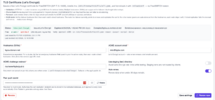
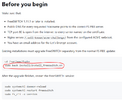
After running this command, it looks like FreeSWITCH only updated to version 1.10, not 1.11. Seems like it's pulling the original FreeSwitch version it was installed with fspbx

I confirmed this by running:

sudo fs_cli -x version

FSPBX version I'm on is: v1.8.7
 
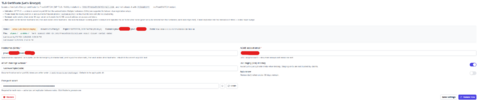
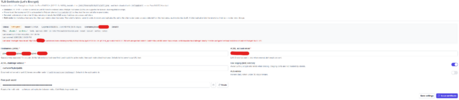
@pbxgeek i'm trying to push tls certs but im getting error when it's trying to create challenge for my failover domain

1782763294656.png

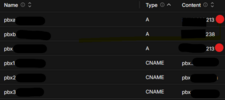
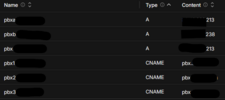
on public dns

pbx.domain.com points to active (pbxa) node IP address, IP address switches to secondary when primary's down and what phones connect to
pbxa.domain.com = primary node IP address
pbxb.domain.com = secondary node IP address

when i remove pbx.domain.com certs get issues and pushed
with pbx.domain.com i get

Last error: Pre-flight check failed: http://pbx.domain.com/.well-known/acme-challenge/V29R14jFKPVxR9Evt5zug7qLvWUz7D7wQeRXjfL5u54 returned HTTP 200 with unexpected content. Confirm the port-80 server block serves /.well-known/acme-challenge/ directly from the configured webroot and does not redirect that path to HTTPS.

i can get to active node pbxa.domain.com via http://pbx.domain.com which point to pbxa IP address

Code:
openssl x509 -in /etc/freeswitch/tls/all.pem -noout -issuer -serial -dates
issuer=O=FS PBX, CN=pbx.domain.com, C=AU, ST=Some-State
serial=00
notBefore=Jun 29 16:51:58 2026 GMT
notAfter=Jun 26 16:51:58 2036 GMT
 
Last edited:
Each node must be individually accessible for verification.
If you added these 3 nodes to your Let's Encrypt list of domains:

pbx.domain.com
pbxa.domain.com
pbxb.domain.com

Let's Encrypt will try to verify all 3.
If one of them fails, the whole verification fails. This is how Let's Encrypt works. That means that each DNS record should resolve and you should be to access servers individually.

When you type pbxa.domain.com in the address bar, you should reach your Node 1. When you type pbxb.domain.com, you should reach Node 2. When you type pbx.domain.com, it should reach whatever node is currently primary.

When you run the script on Node 1, the system automatically pushes the token to Node 2, so when Let's Encrypt is ready to verify it, the token already exists.
 
  • Like
Reactions: yaboc
Each node must be individually accessible for verification.
If you added these 3 nodes to your Let's Encrypt list of domains:

pbx.domain.com
pbxa.domain.com
pbxb.domain.com

Let's Encrypt will try to verify all 3.
If one of them fails, the whole verification fails. This is how Let's Encrypt works. That means that each DNS record should resolve and you should be to access servers individually.

When you type pbxa.domain.com in the address bar, you should reach your Node 1. When you type pbxb.domain.com, you should reach Node 2. When you type pbx.domain.com, it should reach whatever node is currently primary.

When you run the script on Node 1, the system automatically pushes the token to Node 2, so when Let's Encrypt is ready to verify it, the token already exists.

so floating DNS won't work in this example ? i have two HA nodes (pbxa/pbxb with floating DNS pbx that points to active) which i set up from the HA docs. so i need three nodes for this to work ?

my dns settings

1782756488929.png

i can access all three
http://pbxa.domain.com reaches node 1 (pbxa - active)
http://pbxb.domain.com reaches node 2 (pbxb)
http://pbx.domain.com reaches node 1 (pbxa - active)

Code:
curl -v http://pbx.domain.com/.well-known/acme-challenge/test
* Host pbx.domain.com:80 was resolved.
* IPv6: (none)
* IPv4: xx.xx.xx.213
*   Trying xx.xx.xx.213:80...
* Connected to pbx.domain.com (xx.xx.xx.213) port 80
> GET /.well-known/acme-challenge/test HTTP/1.1
> Host: pbx.domain.com
> User-Agent: curl/8.5.0
> Accept: */*
>
< HTTP/1.1 404 Not Found
< Server: nginx
< Content-Type: text/html; charset=UTF-8
< Transfer-Encoding: chunked
< Connection: keep-alive
< Cache-Control: no-cache, private
< date: Mon, 29 Jun 2026 18:19:29 GMT
<
<!DOCTYPE html>
<html lang="en">
    <head>
        <meta charset="utf-8">
        <meta name="viewport" content="width=device-width, initial-scale=1">

        <title>Not Found</title>

        <style>

curl -v http://pbxa.domain.com/.well-known/acme-challenge/test
* Host pbxa.domain.com:80 was resolved.
* IPv6: (none)
* IPv4: xx.xx.xx.213
*   Trying xx.xx.xx.213:80...
* Connected to pbxa.domain.com (xx.xx.xx.213) port 80
> GET /.well-known/acme-challenge/test HTTP/1.1
> Host: pbxa.domain.com
> User-Agent: curl/8.5.0
> Accept: */*
>
< HTTP/1.1 404 Not Found
< Server: nginx
< Content-Type: text/html; charset=UTF-8
< Transfer-Encoding: chunked
< Connection: keep-alive
< Cache-Control: no-cache, private
< date: Mon, 29 Jun 2026 18:21:57 GMT
<
<!DOCTYPE html>
<html lang="en">
    <head>
        <meta charset="utf-8">
        <meta name="viewport" content="width=device-width, initial-scale=1">

        <title>Not Found</title>

        <style>

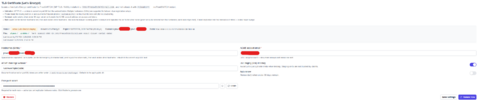
fails with pbx.domain.com pbxa.domain.com pbxb.domain.com

1782763104836.png
completes with just pbxa/pbxb

1782763201727.png
 

Attachments

  • 1782756435279.png
    1782756435279.png
    19.4 KB · Views: 1
Last edited:
What you described is exactly how it's designed to work. If you're running into issues, there is a chance your system is blocking something. It's hard to tell what it is without live troubleshooting.