We've added support for the FreeSWITCH 1.11.1 release, and with it a feature a lot of you have asked for: free, automatically-renewing Let's Encrypt certificates for SIP-TLS and WSS — managed right from the FS PBX web interface.
Why the new FreeSWITCH version matters
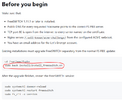
1.11.1 introduces the reloadcert command, which lets FreeSWITCH pick up a new TLS certificate without a restart. That means certificate renewals no longer drop calls or registrations — the switch just starts using the new cert on the next TLS connection.
What you can do now
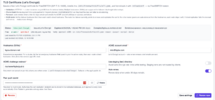
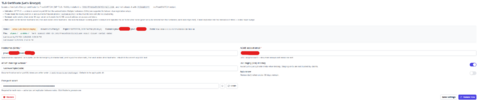
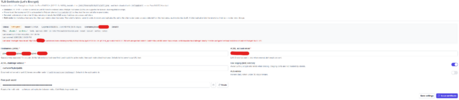
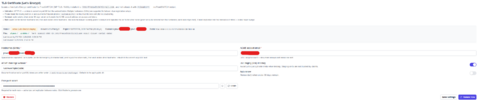
From Status → SIP Status, in the new FreeSWITCH TLS Certificate section, you can:
Full guide: Using a Let's Encrypt certificate with FreeSWITCH
Give it a try and let us know how it goes!
Why the new FreeSWITCH version matters
1.11.1 introduces the reloadcert command, which lets FreeSWITCH pick up a new TLS certificate without a restart. That means certificate renewals no longer drop calls or registrations — the switch just starts using the new cert on the next TLS connection.
What you can do now
From Status → SIP Status, in the new FreeSWITCH TLS Certificate section, you can:
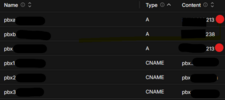
- Issue a publicly-trusted Let's Encrypt certificate for one or more hostnames (with a staging/test mode first, so you don't burn rate limits while you get DNS and port 80 sorted).
- Auto-renew it — FS PBX checks daily and renews when under 30 days remain, then hot-reloads it. You get an email on every renewal, success or failure.
- Trust it on Polycom phones automatically — the issuing CA is pushed to the phone provisioning config, so phones trust the cert after a re-provision.
- Replicate across multiple servers — in a failover/cluster setup, the active node renews and pushes the cert to the others, with no separate peer list to maintain.
Full guide: Using a Let's Encrypt certificate with FreeSWITCH
Give it a try and let us know how it goes!